- Log into your account
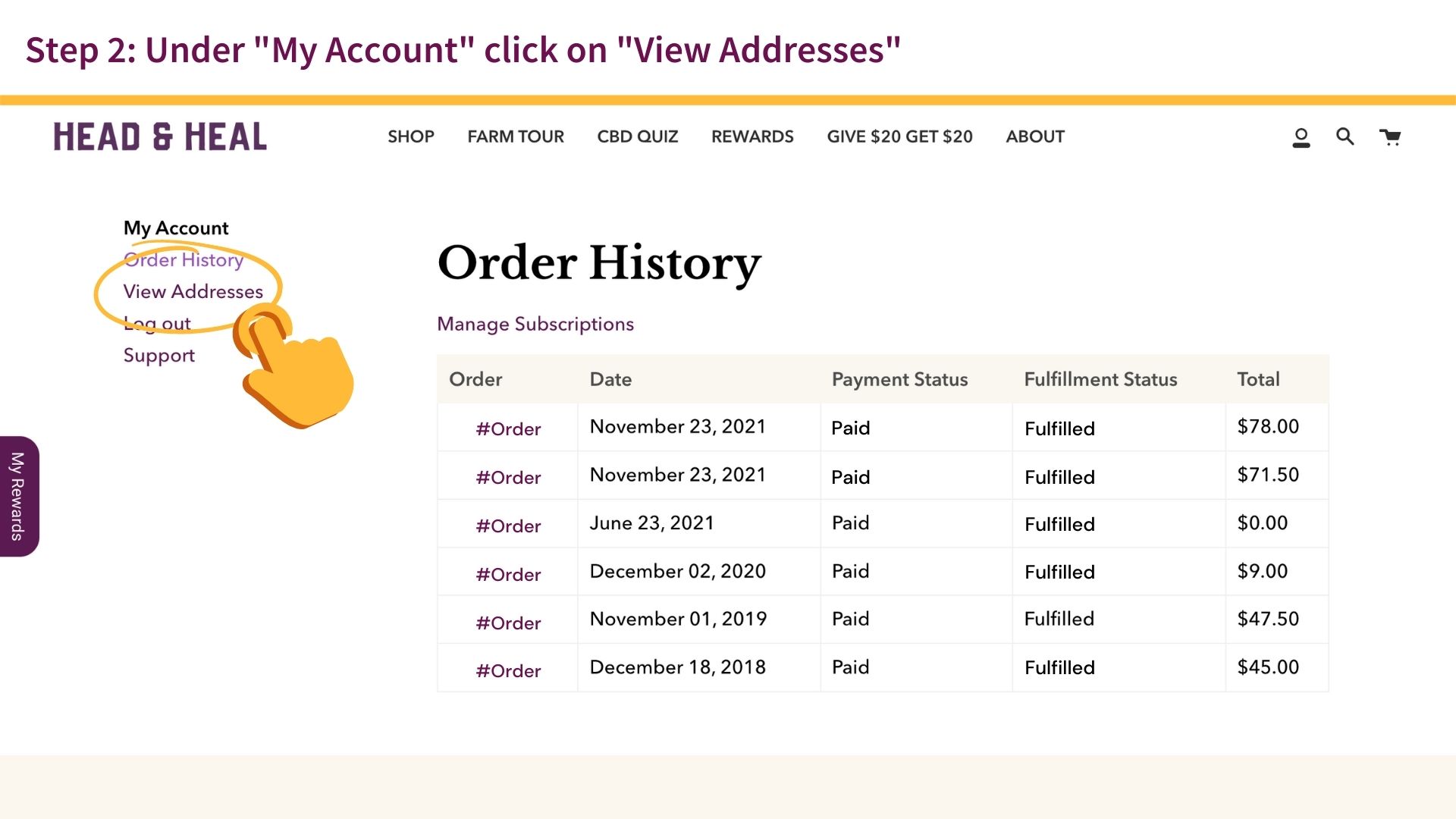
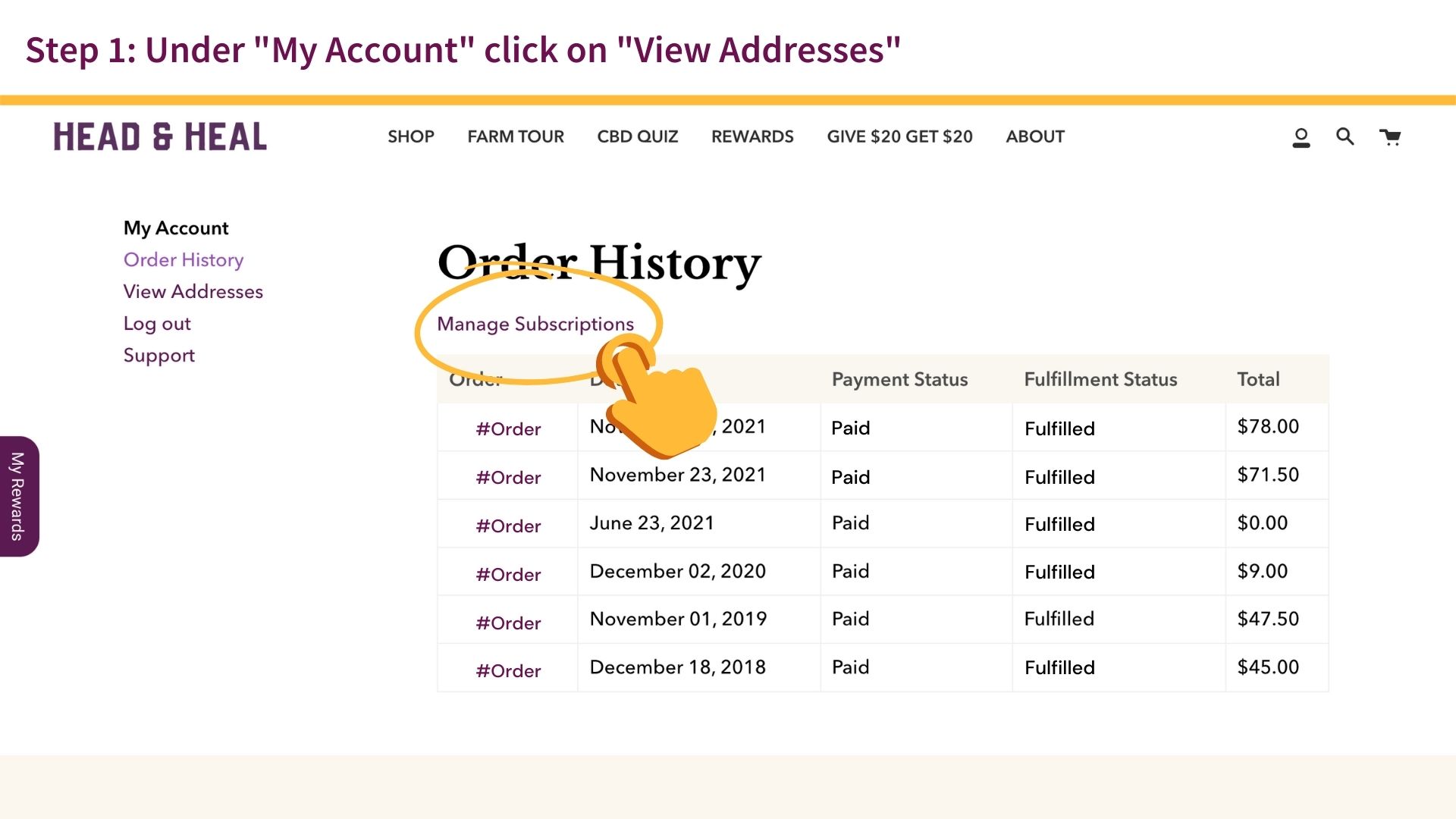
- Under "My Account" click on "View Addresses"
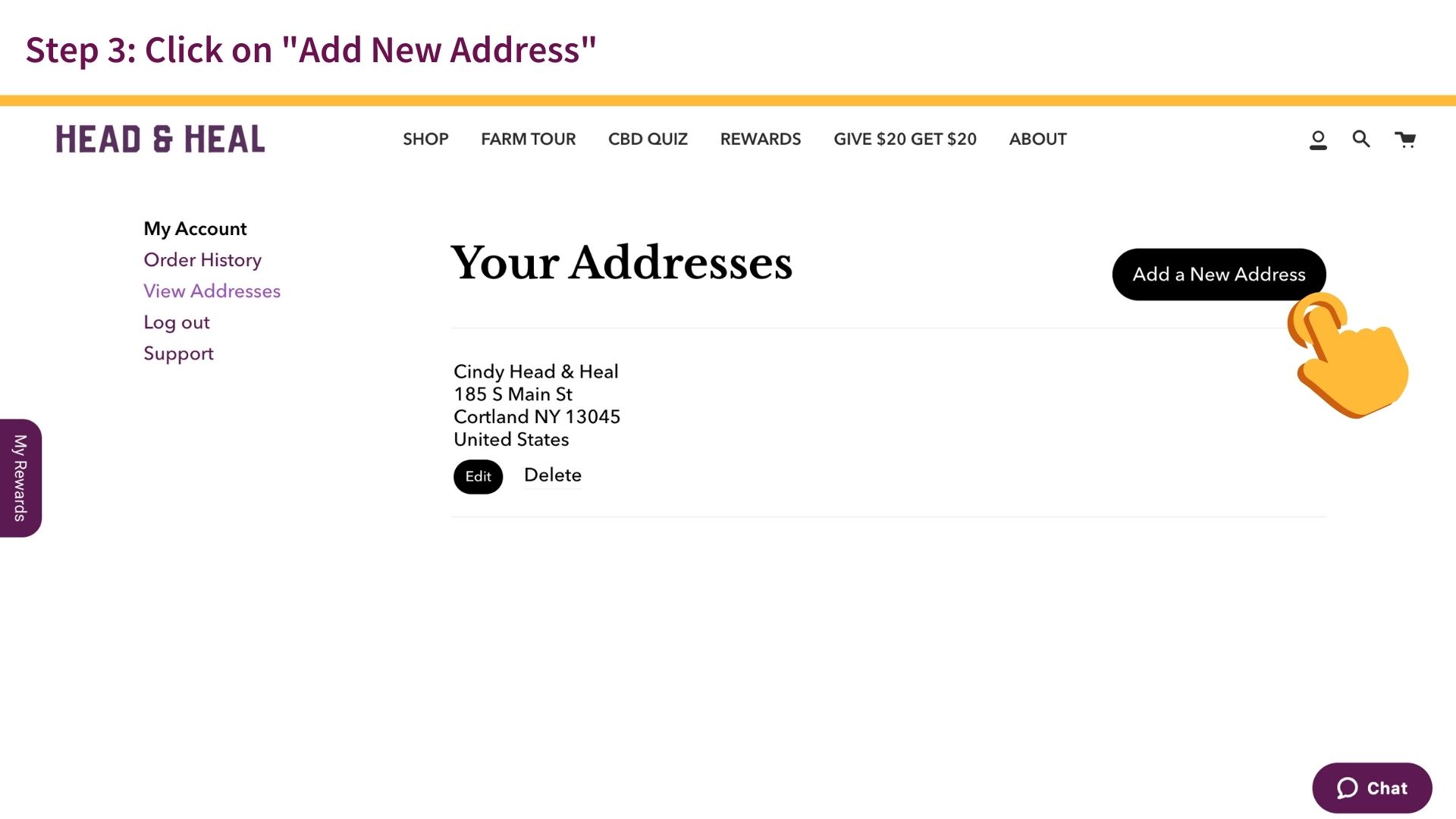
- Click on "Add New Address"
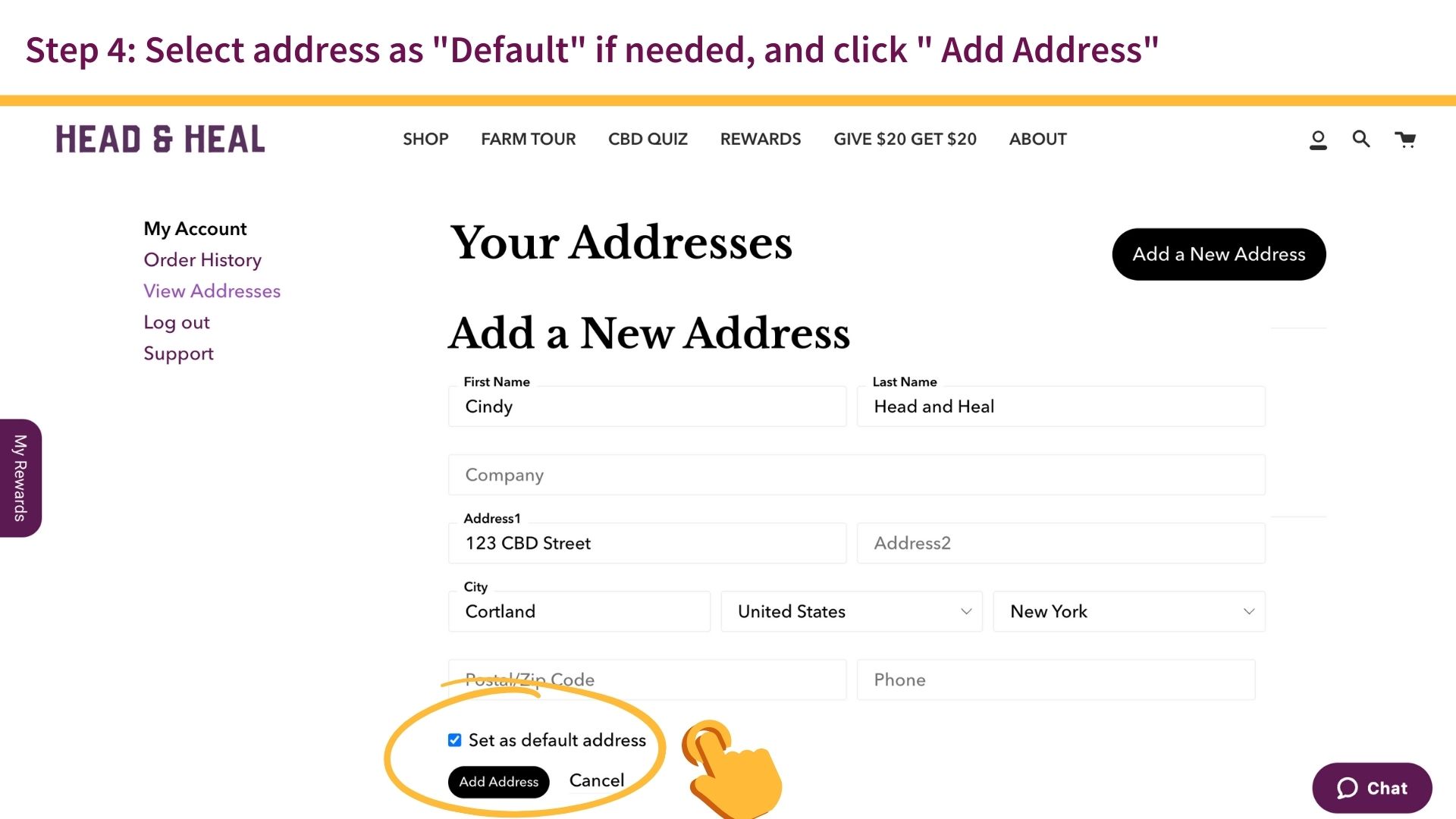
- Select address as "Default" if needed
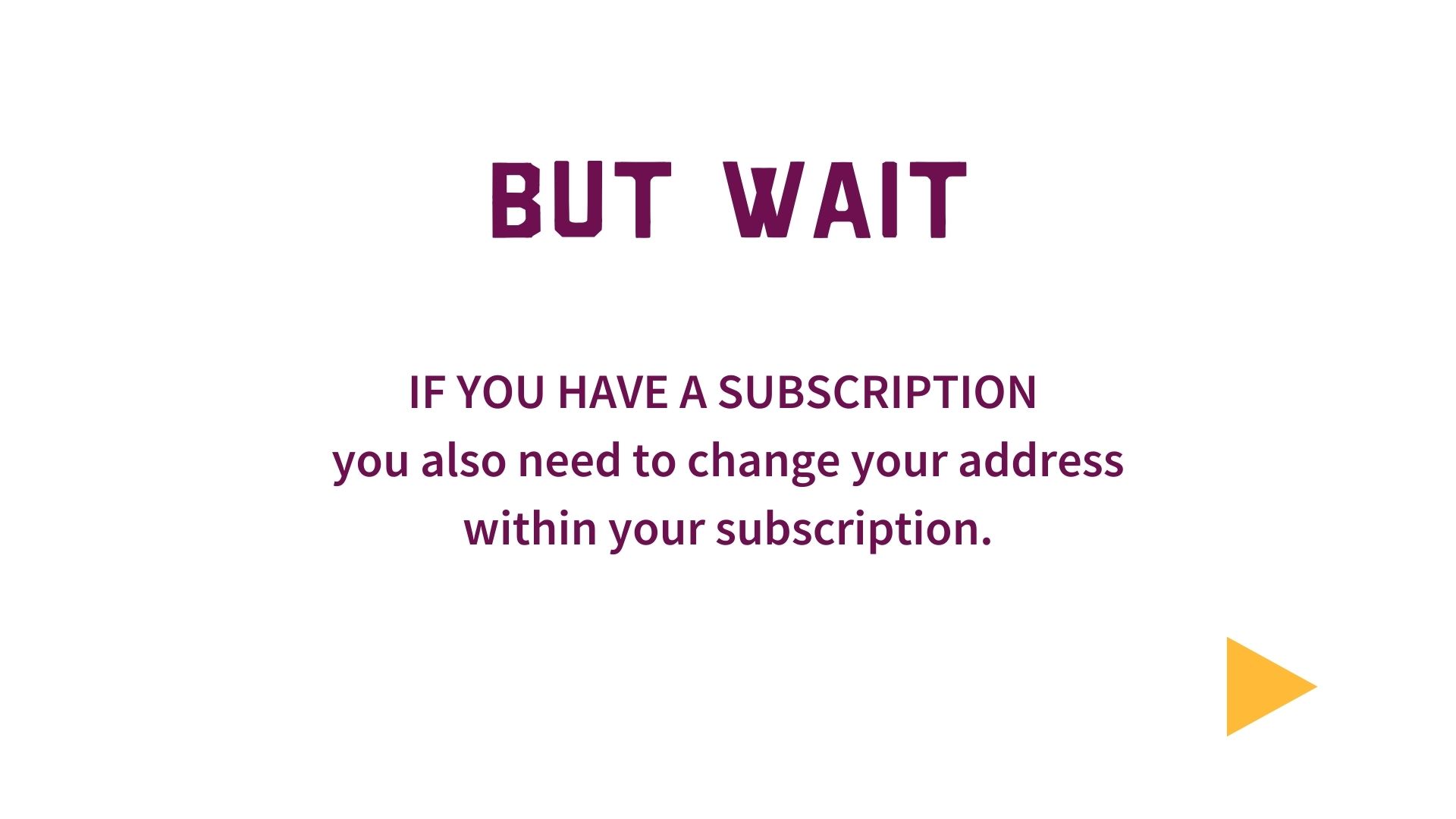
IF YOU HAVE A SUBSCRIPTION you also need to change your address within your subscription.
- In your account page (click the person icon at the top to go back) click on "Manage Subscriptions"
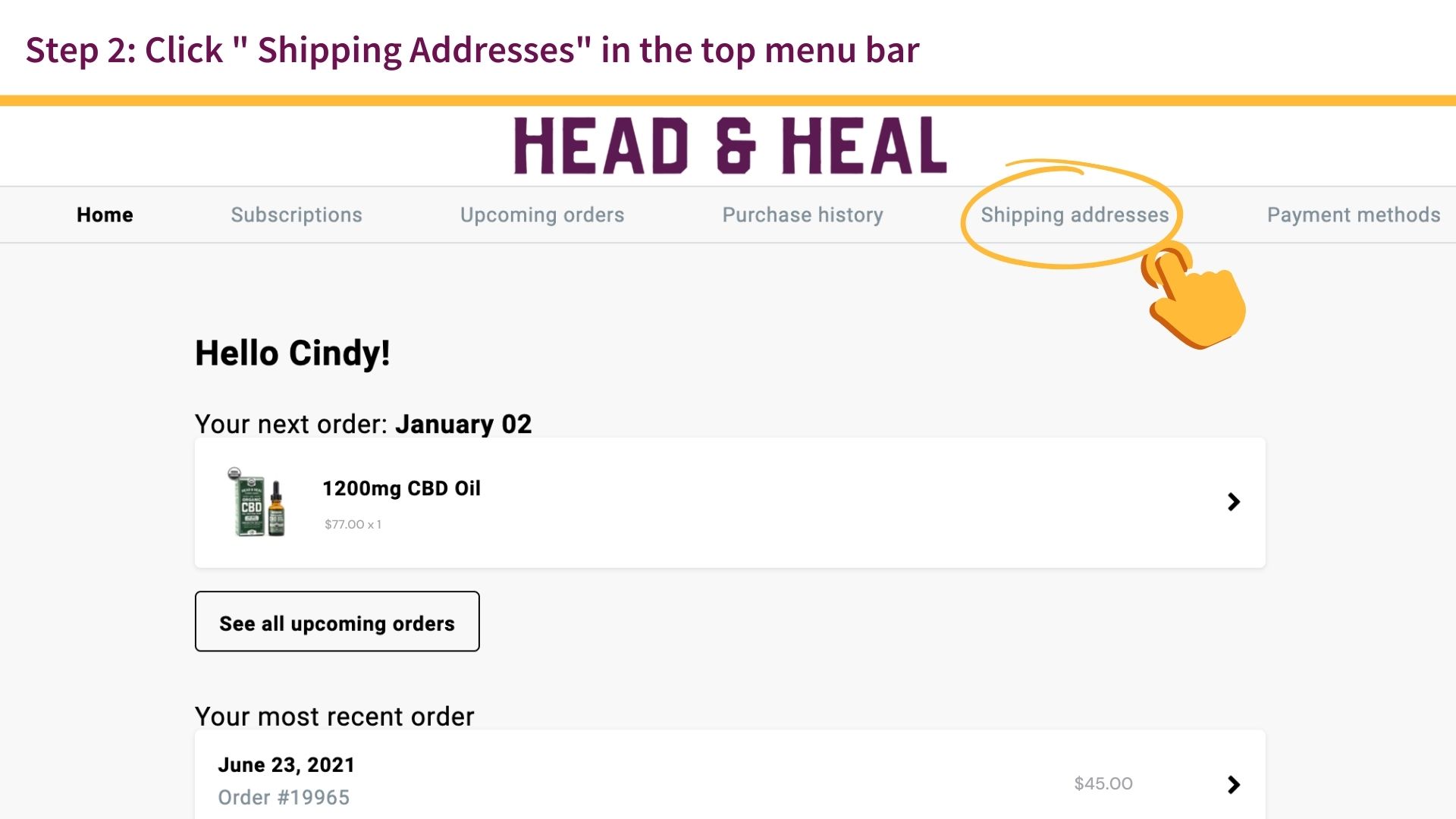
- Click on "Shipping Addresses" on the top menu bar
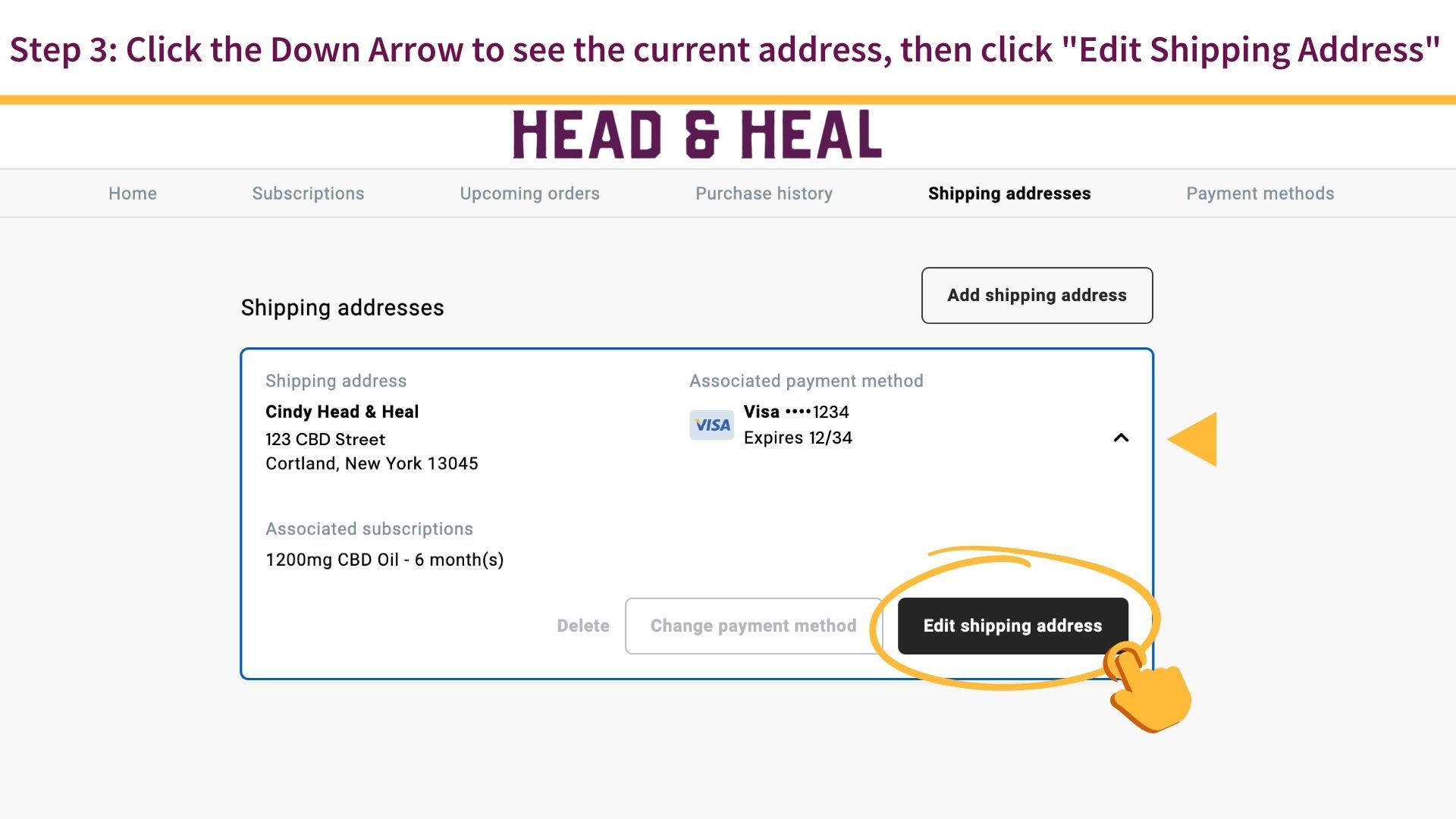
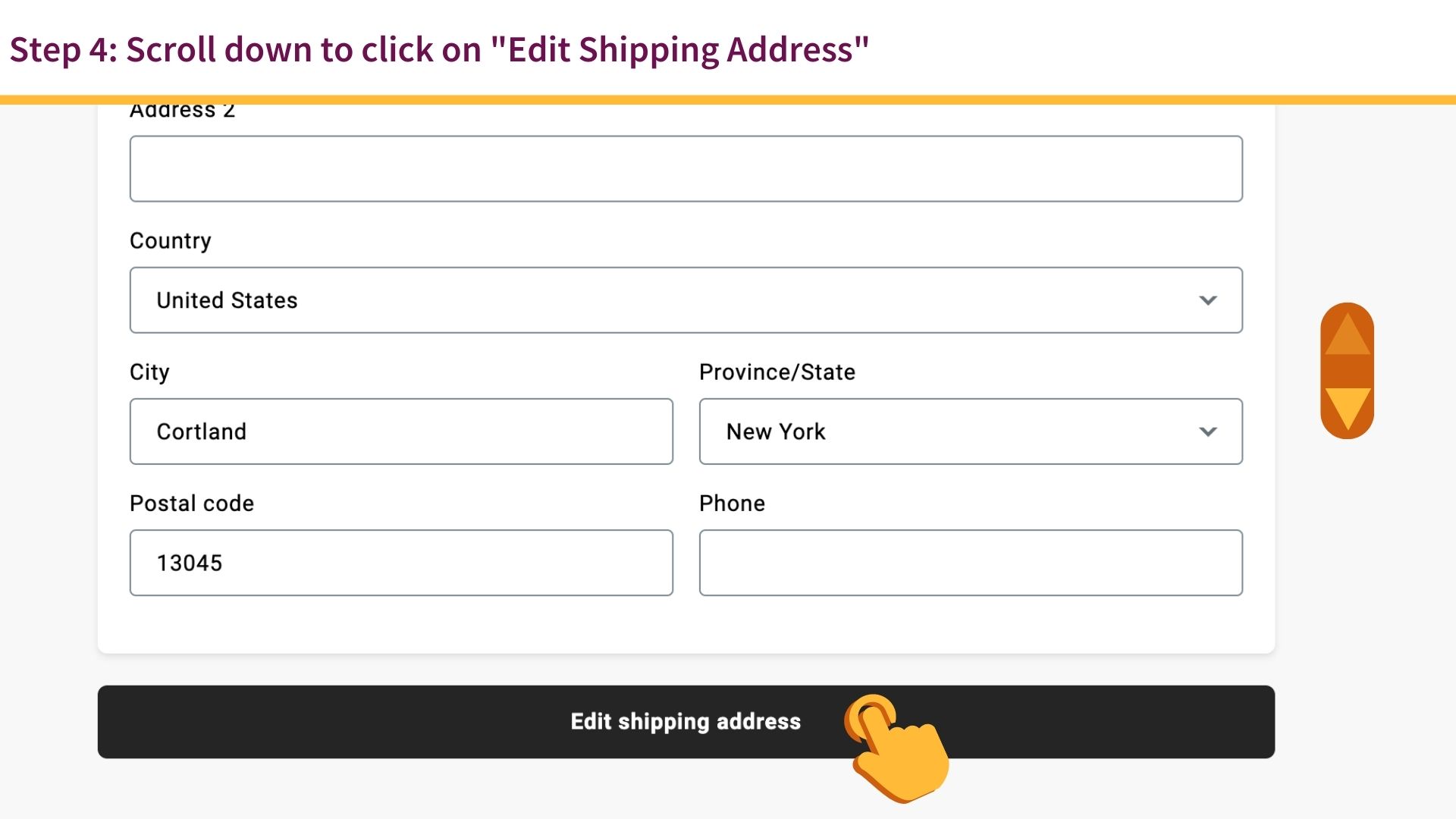
- Click the Down Arrow to see your current address, then click on "Edit Shipping Address"
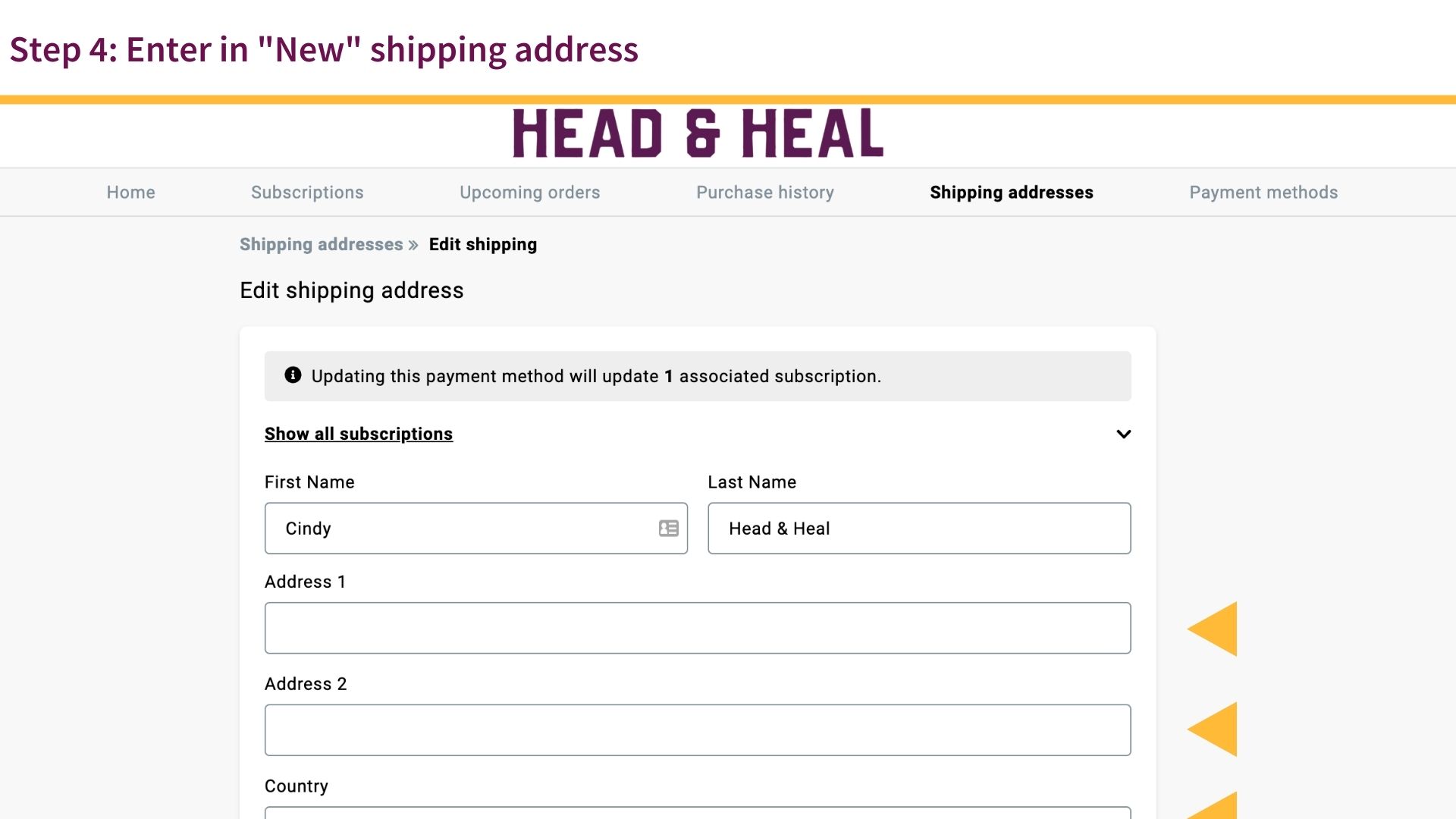
- Enter in "New" shipping address
- Click on "Edit Shipping Address"
Changing your address (not for subscriptions)

Changing Address for Subscriptions
Comments
0 comments
Please sign in to leave a comment.