*NOTE ONLY 1 DISCOUNT CODE CAN BE USED PER TRANSACTION
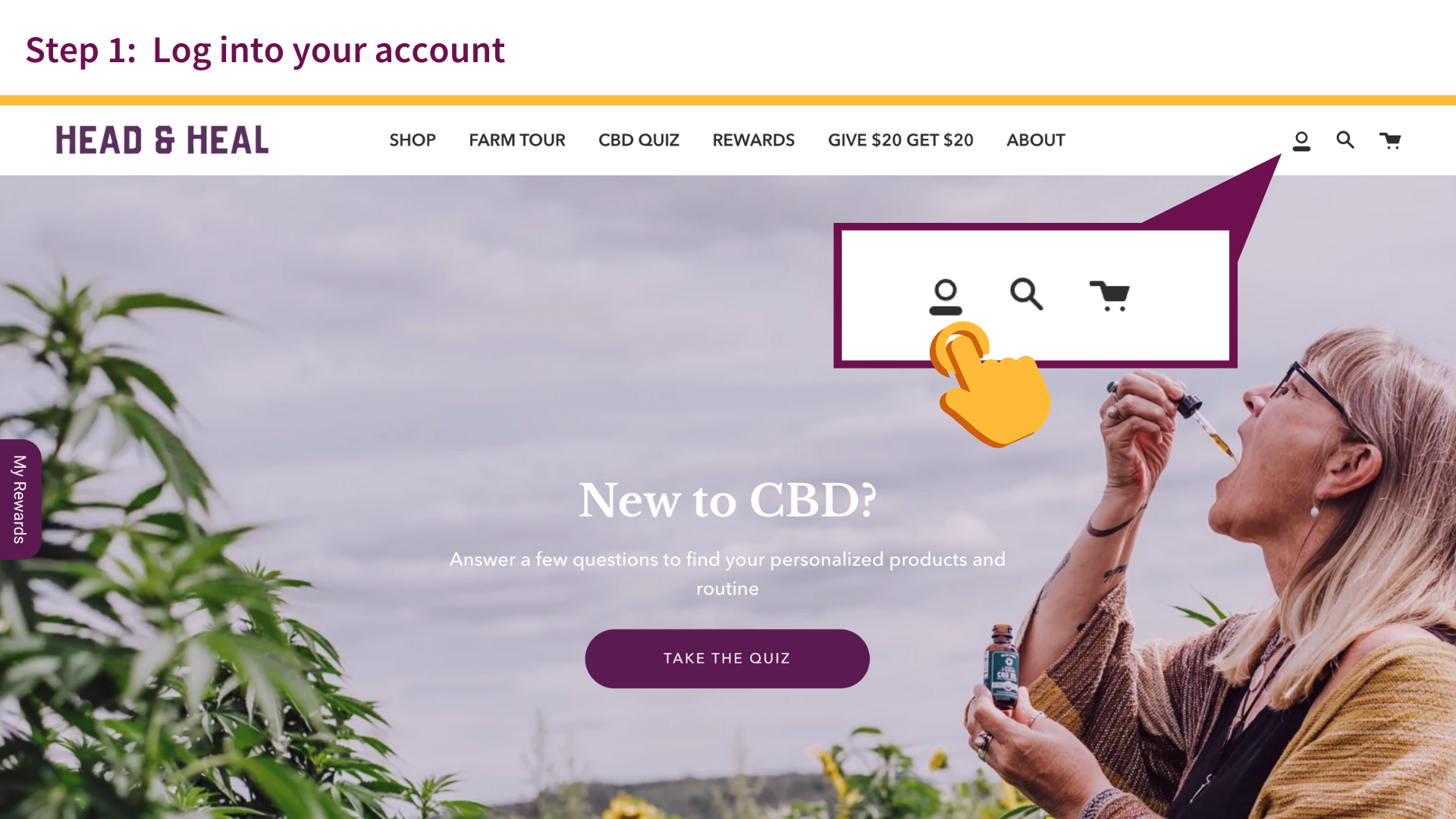
- Log into your account
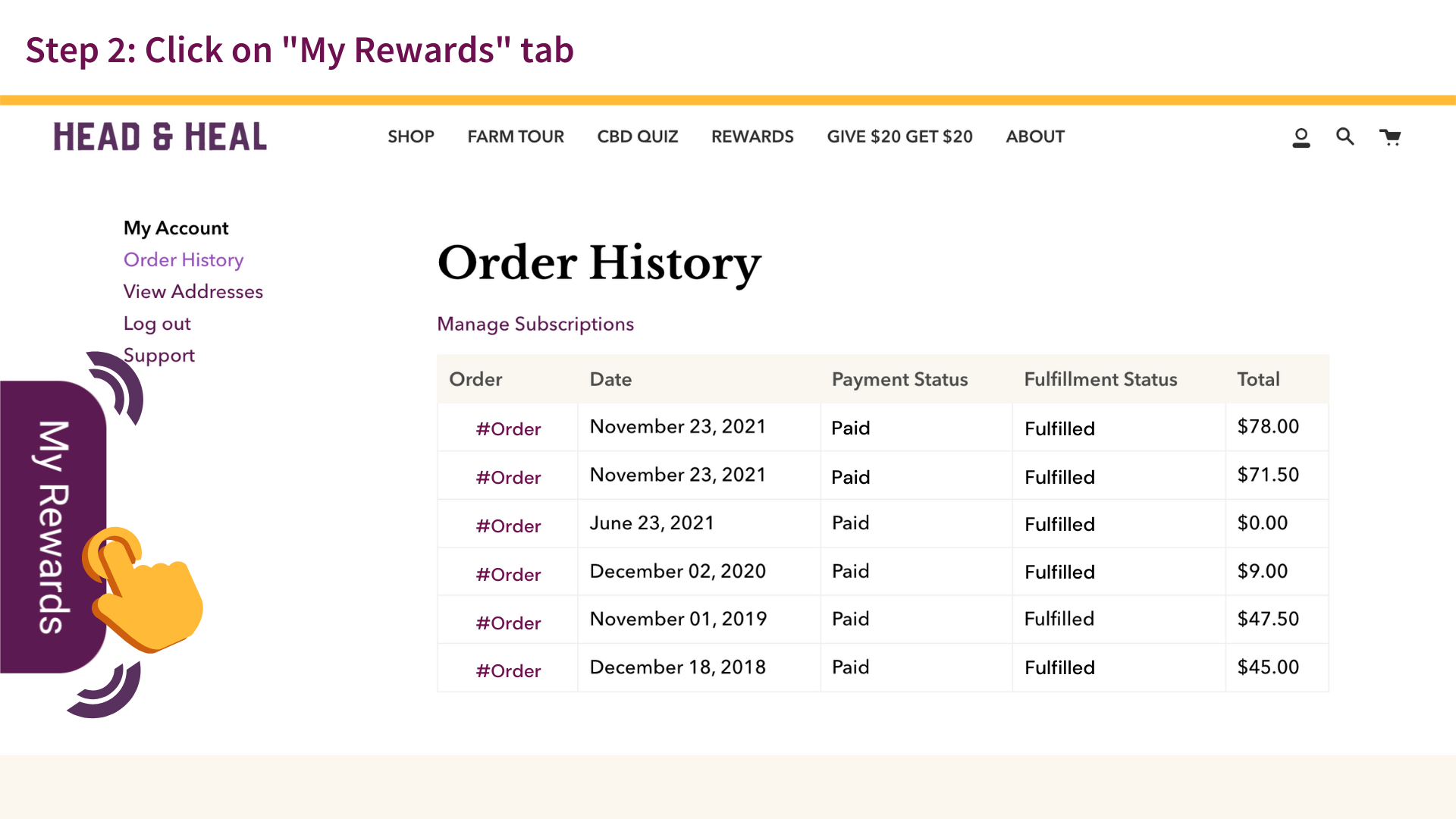
- Click on "My Rewards" tab. A pop-out with your rewards information will display your total points, and options to redeem.
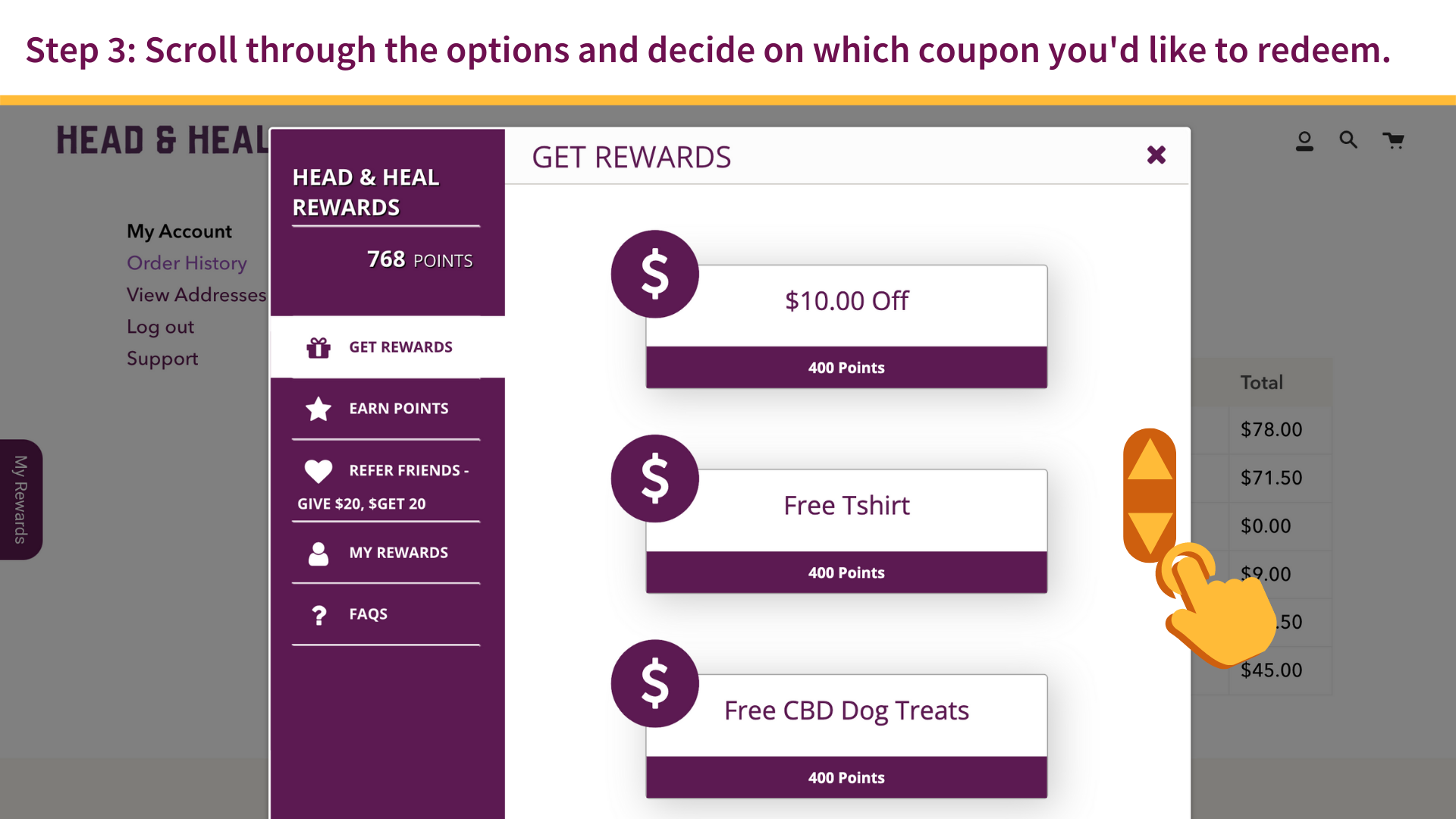
- You will automatically see options to redeem under the “Get Rewards” tab. Scroll through the options and decide on which discount code you'd like to redeem
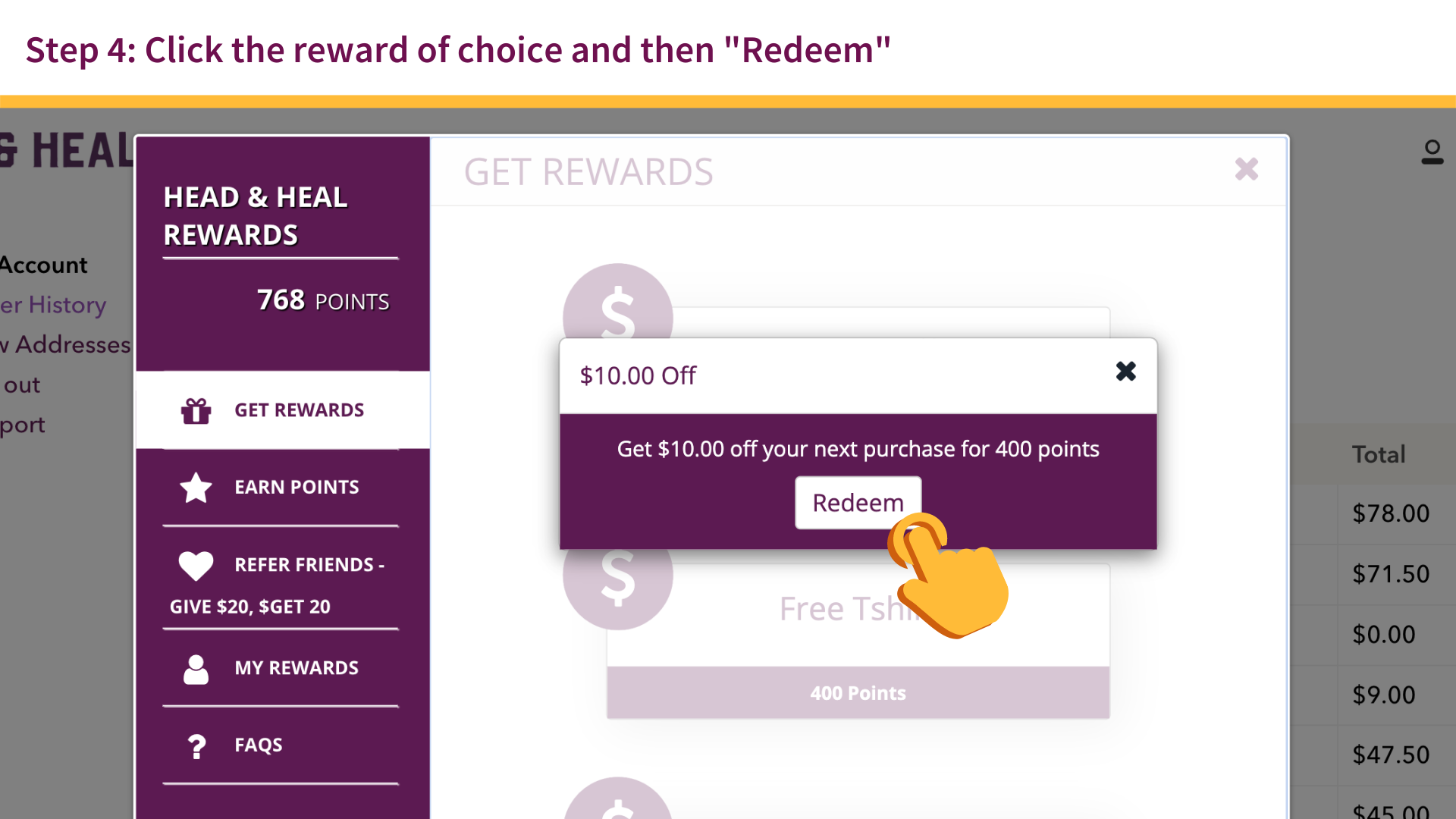
- Click the reward of choice and then ”Redeem”
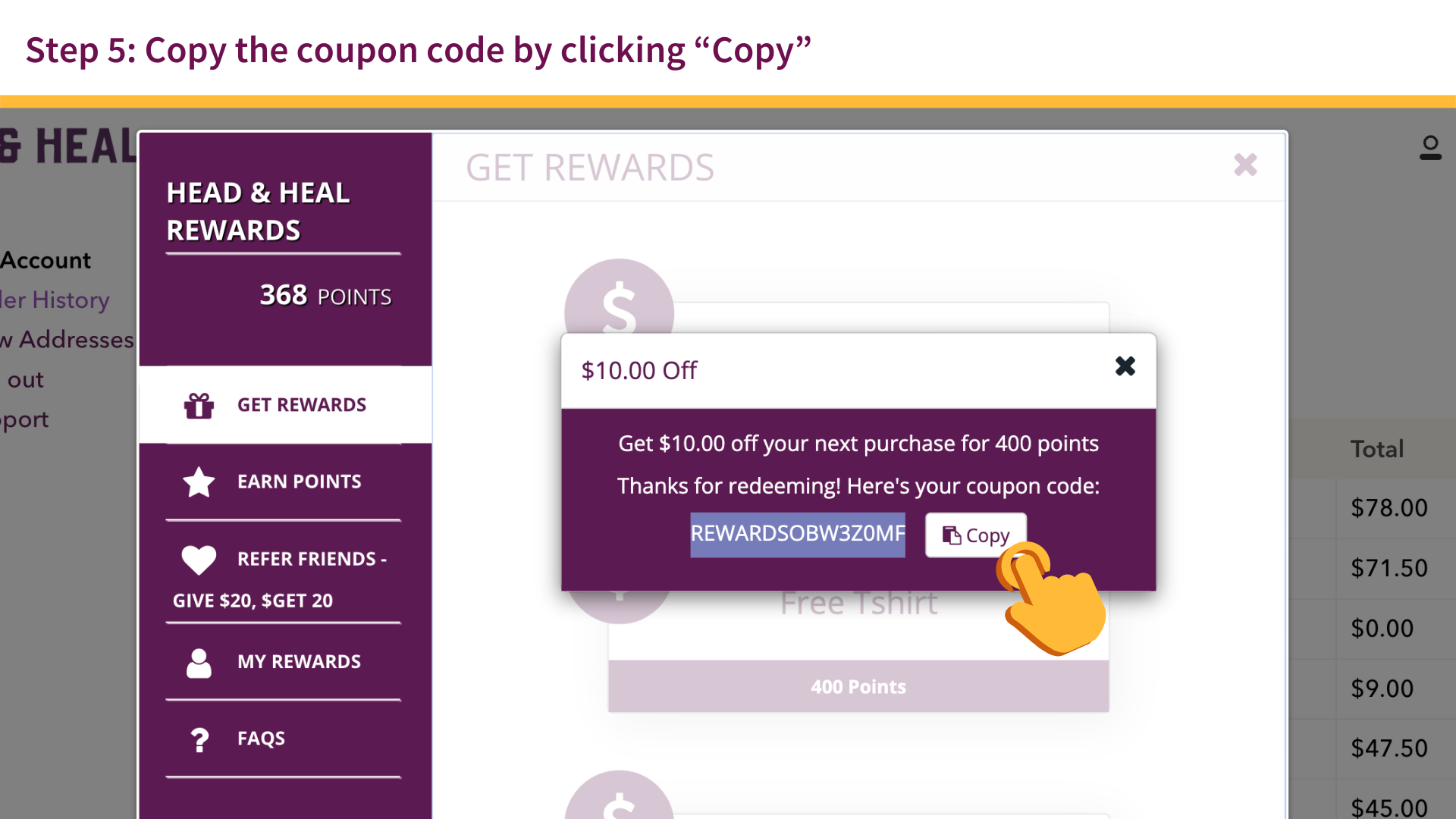
- Copy the discount code by clicking “Copy” (or write it down in case you forget!)
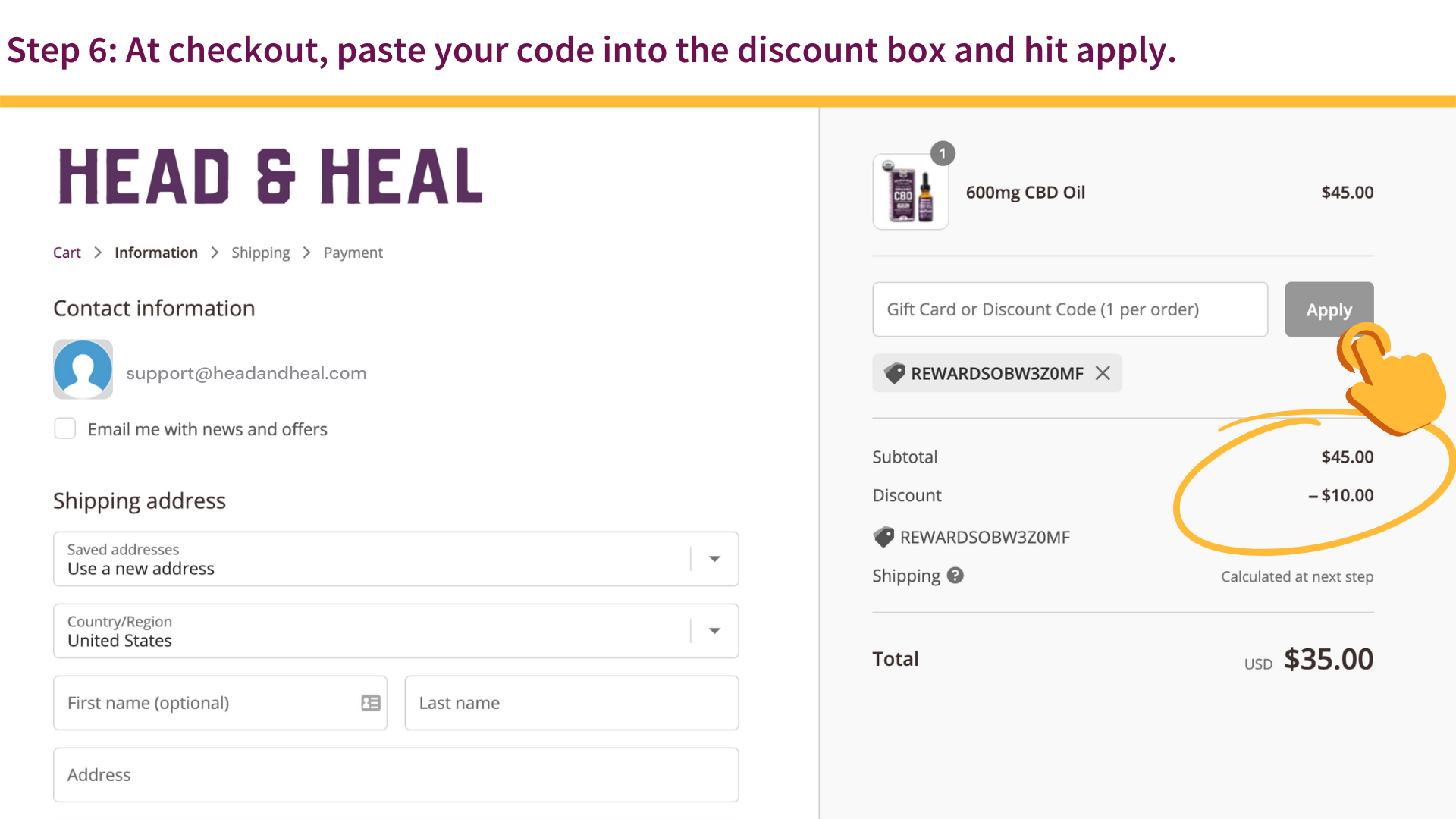
- At checkout, paste your code into the discount box and hit apply. Your total will immediately update.
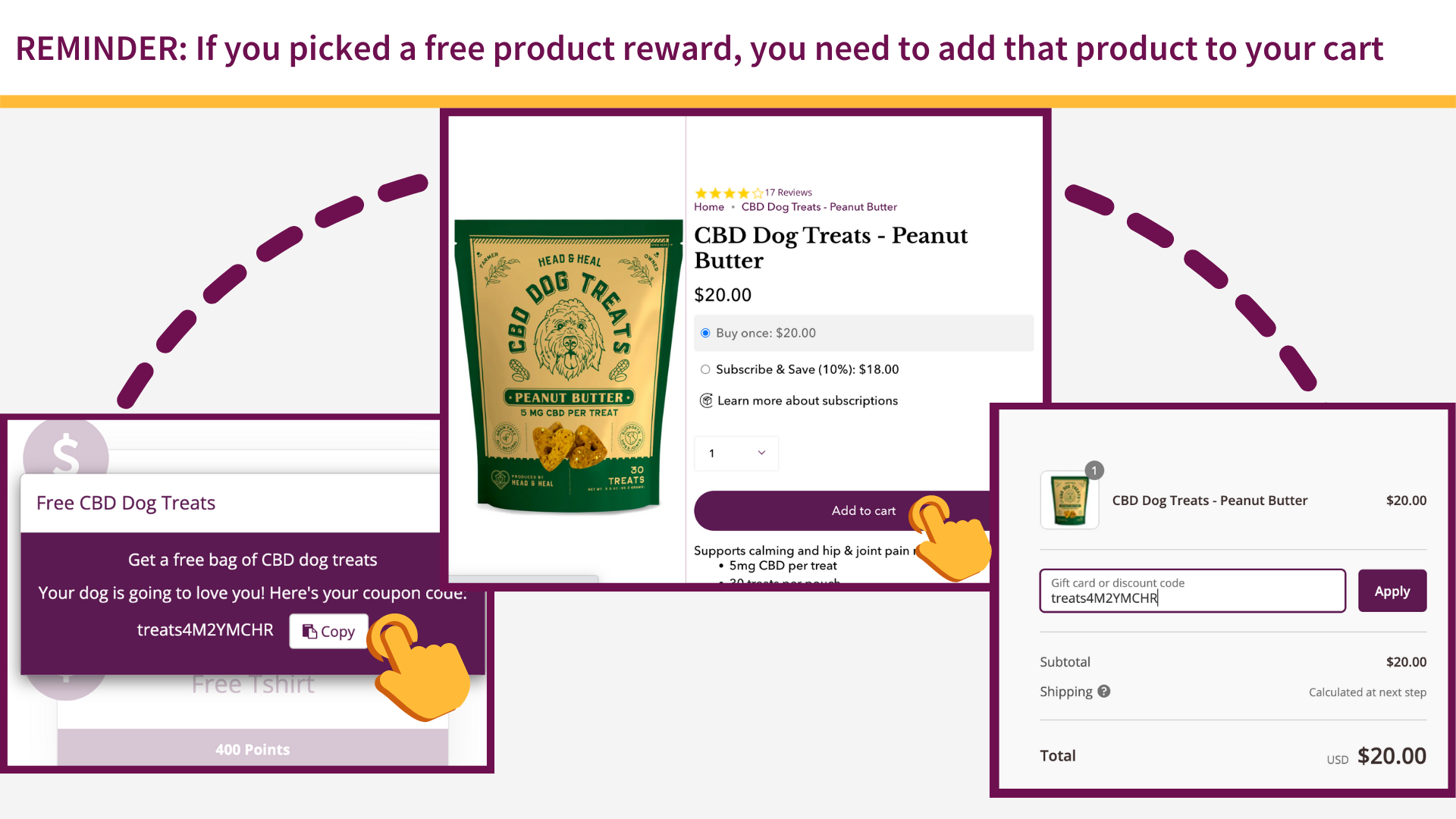
REMINDER: If you picked a free product reward, you need to add that product to your cart (Ex: you can only use the free Dog Treats reward if you add 1 bag of Dog Treats–whichever flavor you’d like–to your cart. It will not automatically add the item to your cart)
Comments
0 comments
Please sign in to leave a comment.